06 User Testing
& Validations
This week was a major transition from self-reflection to external reality. I moved from the composition phase into deep User Evaluation and documentation for my dissertation. It was a week of late-night writing and back-to-back testing sessions, but seeing my work through the eyes of eight other designers was incredibly grounding. The visible shifts in feedback from "how does this work?" to "this is how it feels," also validated my purpose of my project.
Week-six
16~ 22, Feb, 2026Journal-by
Choi YerinKeywords
- User-Evaluation
- Practical-Utility
- Boon-wee-gi
- Learning-Curves
- Atmospheric-Competence
The Evaluation Setup
I conducted sessions with eight participants, ranging from basic to advanced technical proficiency. It was one-on-one interview and testing. Each session was conducted in four sections, trials of three prototypes (Button Parameter Lab, Sketch Interaction Studio, Atmost) while providing verbal or anonymous written feedbacks, and a final evaluation on overall experience.
Every single one of them had experience with Figma, which made their critiques of my tools particularly sharp and relevant. Also, I managed to get more answers from advanced designers who are familiar with multiple UI/UX/IX design tools, so that I can get a better understanding of their needs and pain points.
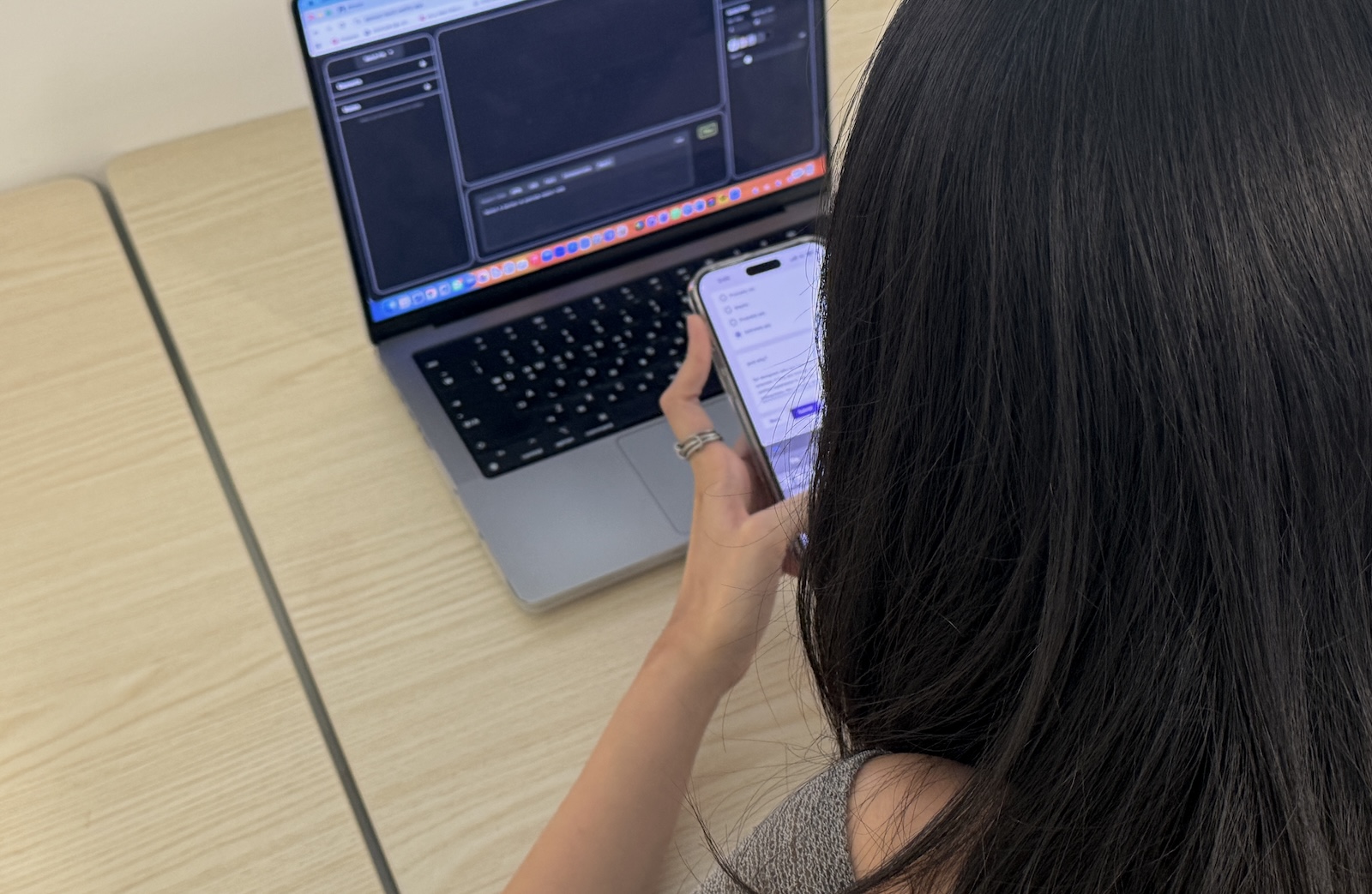
> User Evaluation Session
Question Themes
Usability: Are the prototypes easy to use and understand?
Practicality: Would they find the prototypes useful for their own practices or recommend this to other designers? / Which features would they find more useful or not useful?
Educational Value: Did the presets help clarify the relationship between "identity" and "interaction"?
Atmospheric Perception: Would they feel a sense of atmosphere or immersion when navigating Atmost?
Practicality & Usability
> User Evaluation Session (Sketch Interaction Studio)
Are the tools useful?
The feedback on practicality was actually quite positive. The majority of participants said they would use these tools since they help improve UI consistency and communicate brand identity more effectively.
.jpg)
> Would you recommend these tools to other designers?
Representative Quotes
"For designers who are meticulous and detail oriented, if they are looking to create a cohesive and unified experience to the smallest details like micro interactions, this is highly recommended."
"The tools are really useful for people who are better at designing rather than coding... Being able to design it first without having to do code, and copy the code to my workspace is much more useful."
"I really liked the idea of presets and how each animation has its own specific identity, which can help maintain consistency and overall branding when building apps or websites."
.jpg)
> Button Parameter Lab
.jpg)
> Sketch Interaction Studio
Are The Tools Easy To Use & Understand?
Although many users found the first tool (Button Parameter Lab) quite intuitive, participants had some trouble understanding the second tool (Sketch Interaction Studio) at first.
.jpg)
> Button Parameter Lab
.jpg)
> Sketch Interaction Studio
Despite six participants answering the Sketch Interaction Design was quite easy to use and understand, I observed many users struggling for several features and I observed many users trying to edit parameters while in the preview play mode. I believe it is because they mostly understand that there are learning curves in every comprehensive tool. Additionally, I noticed that the lack of clear instructions or guidance within the tool led to confusion and frustration among users.
Several participants mentioned adding tutorials or simple tooltips would benefit the usability. Additionally, one participant suggested clearer visual hierarchy, like using a dominant background color (e.g., yellow) to signal when they are in "Play" mode. All the comments were really helpful for me to understand the pain points and areas for improvement.
Representative Quotes
As for improvements, features could be more recognizable with tooltips, like the way how adobe has the explanation and demo video when you hover on an item.
“I like how comprehensive the second tool is, with every state and example thought out. It can get a little confusing with how many features there are. May be more confusing for designers with no Figma background. The presets are really helpful, acting as an example to show what the features entices.”
“I liked the different parameters, and that there are presets that are linked to common interfaces such as game consoles. Maybe if the interface can toggle between editing and play mode would help, such as changing the background of the parameter to yellow etc.”
Educational Values
One of the most rewarding outcomes was how the overall evaluation validated the prototypes fulfilling their practical and educational objectives. At the end of the session, I asked participants what they have learned. Many responded that they started to appreciate the micro-details of interaction design. Also, for those initially unsure about the project’s conceptual goals, using the tools, especially the presets, helped them understand the message effectively.
This directly validates my objective of fostering “atmospheric competence” as defined by Böhme. It proves that hands-on experience with these prototypes enable designers to consciously recognize how atmospheres influence them and learn how to produce those effects intentionally.
Representative Quotes
“It was insightful to see how buttons have different properties when interacting. These are things I don’t typically pay a lot of attention to when I visit or design websites but I probably will from now. It was honestly a really interesting experience.”
“I believe this tool and website experience was made with a lot of thought behind it, everything is so fast paced now we are so used to skipping steps and receiving information on a click. This website reminded me that other than its technical side, there is so much beauty and areas to learn from code and interaction design.”
Emotional Engagement
The transition from the tools to Atmost archive website provided significant evidence to the atmospheric goal of my project. The feedback shifted visibly from functional critique to more emotional engagement. Participants described the experience as captivating and inspiring, noting that the harmony of motion, sound feedback, and visual identity, encouraged them to explore more. One participant specifically said that the smooth, slow page transitions on scroll provided a sense of depth, which I exactly intended to communicate. This confirmed that the full interface is where the atmosphere is actually felt on an emotional level, while the tools are essential for learning parameters and states.
.jpg)
> Atmost User Feedback Chart
Even though Atmost site was incomplete, all eight participants indicated that they would explore the site thoroughly if encountered online. This was really a rewarding experience that motivated me to keep improving the project.
Representative Quotes
"I felt like I was discovering something new with every interaction I made. It made me quite interested to see if there were any 'easter eggs' in it."
"The interaction and sound are both interesting and act as guides to explore. The website keeps me invested to see what interaction will happen as I keep exploring."
"This experience almost serves as an onboarding platform to help curious designers at their own pace, watch the code transform as they customize each little detail."
“I think I would save the website and bring such motions from the tools whenever I need them in my project, after customizing several settings.”
Additional Insights
Atmosphere as a Design Principle
Apart from the technical aspects, the evaluation sessions also provided several conceptual insights. Before the testing, each participant was asked what they typically prioritize when designing a digital product. While seven out of eight participants focused on usability, UX, and visual identity, only two participants considered atmosphere. This highlights a prevailing trend in HCI scholarship where functional efficiency is often prioritized over felt qualities.
.jpg)
> Pre-Survey Responses
As a Korean designer, I found this conceptual friction particularly interesting. In Korean culture, the term “분위기 (boon-wee-gi)”, while translated as “atmosphere”, is a commonly used vocabulary, describing a coherent palpable vibe that is instinctively understood, even if it cannot be immediately quantified. But, the English term “atmosphere” often sounds abstract or secondary to the other requirements.
Some participants even asked me what's atmosphere in UI or what's the difference between UX and atmosphere. These show how important it is to have atmospheric competence for designers to bridge how a product works and how it’s bodily sensed.
Feasibility Matters in Design
Additionally, the lack of emphasis on technical feasibility, considered by only one participant, highlights a recognizable gap between design and development, where high-fidelity design often becomes a functional product like a loss of intent. On the other hand, the positive comments toward code-export feature suggests that by providing designers with computational tools, we can bridge this communication gap. It allows designers to provide developers with the precise parameters and values, ensuring that the intended atmosphere is preserved in the final product.
Next Steps
Next week is a huge milestone in my research, finally submitting the dissertation and presenting my progress to peers. I will be focusing on writing and reflecting, leading up to the submission. After that, I am planing to print out some materials and prepare table set up for the presentation. This will also allow me to look back what I have done and what I have to do for the rest of the weeks.