08 Filling
the Gaps
Even though there was no consultation this week, it was a busy one. I spent time at the career fair talking to different agencies and companies. It was a good reality check, reminding me that I need to start thinking about my future career while I finish this project. On the development side, I focused on filling the placeholders in the Atmost website and finally turning the architecture I planned into real content.
Week-eight
02 ~ 08.Mar, 2026Journal-by
Choi YerinKeywords
- Career-Fair
- Content-Mapping
- ASCII-Videos
- Atmost
Career Fair Reflections
I took a small break from coding to attend the career fair. It was interesting to talk to agencies like TBWA and Publicis about thier work environmets, as well as my previous work experiences. It made me realize how passionate I am about my work and the project. This gave me a boost of confidence and motivation to keep pushing forward, knowing that there are opportunities out there that align with my interests and skills.
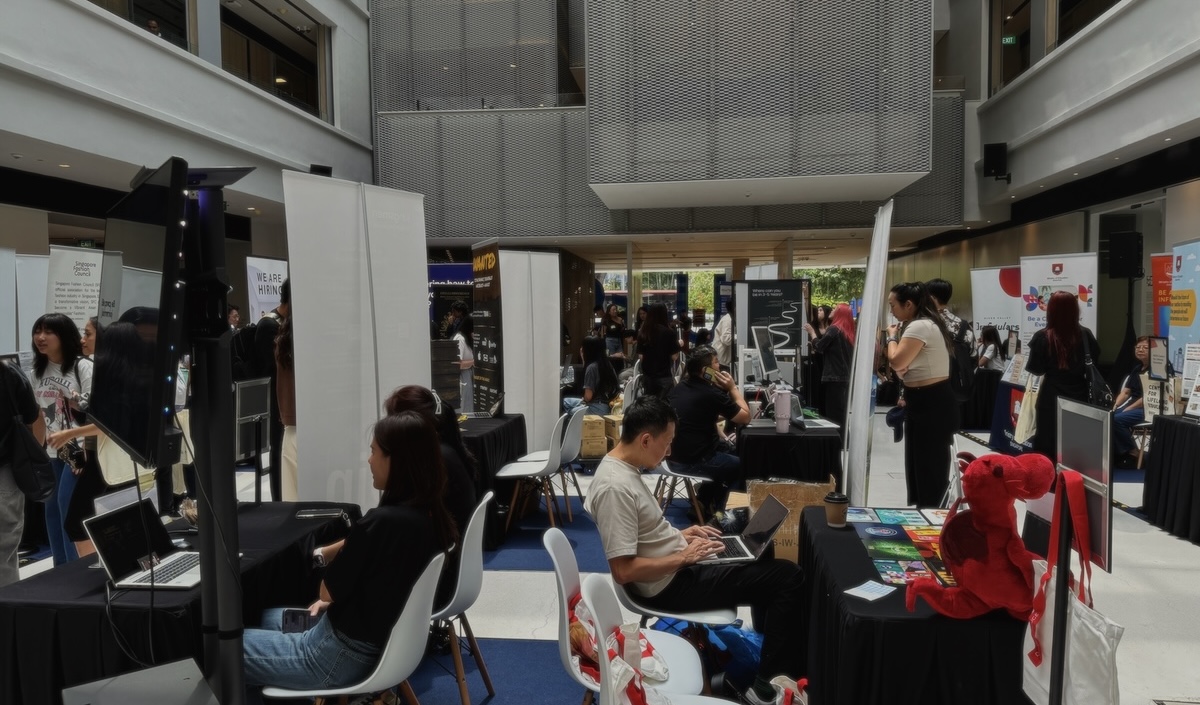
Career Fair
Experiments Page
I realized that the vibrant colors in my experiment previews were starting to distract from the site’s technical identity. To fix this, I built a component that renders video frames as ASCII art on a canvas in real-time, keeping the movement of the experiments but in to a raw, data-driven texture.
> Experiments Page
The ASCII Logic
The core of the effect is calculating the "Luma" (brightness) of every pixel. The code looks at the Red, Green, and Blue values and converts them into a single brightness value.
Performance: Canvas vs. DOM
Instead of using HTML tags for every character (which would lag), I draw everything directly to a 2D canvas. I also used requestAnimationFrame to ensure the ASCII "video" plays smoothly at a specific frame rate, maintaining that steady, mechanical rhythm I want for the archive.
const luma = 0.299 * R + 0.587 * G + 0.114 * B;
// Map luma to character ramp: " .:-=+*#%@"
const char = RAMP[Math.floor((luma / 255) * (RAMP.length - 1))];
// Draw to canvas directly
ctx.fillText(char, x * charW, y * charH);
The luma-to-character mapping logic
Sub Pages
I finally built out the sub-pages for the Experiments section. I wanted to show the progression of my work, so I divided it into three phases. To make the p5.js sketches easier to use, I also added a "[click to interact]" overlay to the canvases. It's a small usability fix, but it helps users understand how to engage with the sketch immediately.
Phase 1: Exploratory Sketches: The fundamental "learning through making" sketches, like the buttons and loading animations from early last semester.
Phase 2: Reverse-Engineering: Where I deconstructed existing brands like Duolingo’s streak button, Instagram’s hold-to-action, and Apple’s wiggling icons.
Phase 3: Prototyping Tools: The final tools I built, including the Button Parameter Lab V2 and the Interaction Sketch Studio.
> Experiments Page / Phase 01
> Experiments Page / Phase 02
Case Studies Page
I added three main stories to the Case Studies page: Apple, Duolingo, and Tools. These are the core pillars of my research that show how interaction is the primary material for brand expression today. I used a similar layout for the case studies and the long-form experiment explanations. Maintaining this consistency in information structure helps users navigate the "lived space" of the website without getting lost in different layouts. Also, I kept the interactions and sound feedback minimal in this page in order to create a more focused reading experience.
> Case Studies Page
About Page
For the About page, I tried something different. To bring a sense of physical interaction to the digital space, I designed the information into multiple draggable "digital tabs." Users can open, close, and move these tabs around to find out "who," "why," and "what" Atmost is. It makes the static information much more engaging and feels like interacting with a real desktop terminal.
> About Page
I also experimented with a new p5.js sketch for the "Atmost" title text. I wanted it to look like a fluid, liquid material, but I kept it as a buffered line-text style to match the ASCII art. I’ve also integrated it into the experiment loading animations to reinforce that "futuristic" identity.
> Loading Animation for Experiments Page
This liquid effect creates a more organic tech feel. It’s another way to show how code can be a expressive material for branding, turning simple text into something that feels alive and responsive.
Open P5 Sketch >Next Steps
Following the roadmap, my next step is to finalize the Atmost website and start working on the next experiments. Working more on the contents this week, there were quite a lot of restrictions on interaction design for usability decisions. So, in the next experiments, I am planning to explore where interaction can be the main medium.