02 From Exploration
To Application
This week focused on grounding my new direction through two website with different identities: Atmost and Unkopi. During a consultation with Andreas, I presented the prototypes as the primary medium for my final demonstration. While Semester 1 was spent more on exploring technicalities and building foundations, Week 2 marks the transition into applying those parameters to live, immersive environments. The goal is to move away from sketching buttons to staging digital atmospheres.
Week-two
19 ~ 25, Jan, 2026Journal-by
Choi YerinKeywords
- Atmost
- Unkopi
- Branding
- Integration
- Scroll-interaction
The first sketch: Atmost
The Research Archive
Originally, I planned to develop a website for simply archiving tools. However, now that I have decided to focus on creating interactive experiences, I realized that this archive itself could also be a demonstration of the principles I had been researching. Instead of just listing tools and resources, I wanted to create an immersive experience that embodies the concept of "atmosphere" in digital interfaces.
This led me to design Atmost, a website that not only serves as an archive but also immerses users in the very principles it aims to communicate. The goal is to deliver my findings in a way that is cohesive and atmospheric in itself, moving beyond a standard layout.
> Screen Record of Atmost Prototype Version 1
01 Concept & Visual Identity
Because I also wanted to deliver the message in a more unified and cohesive way, I came up with its brand identity, and named it Atmost.
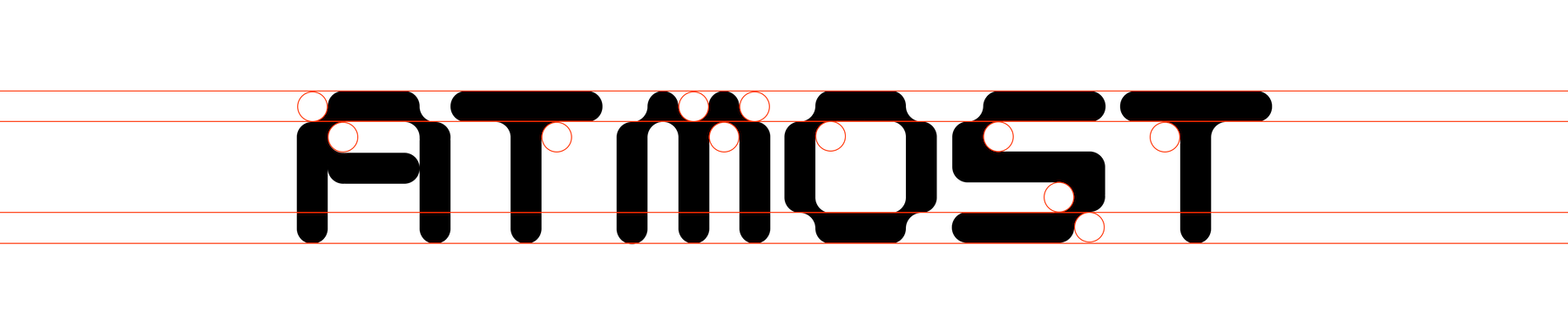
Atmost is a blend of "atmosphere" and "most," reflecting the project's aim to create the most immersive and atmospheric digital experiences. The name captures the essence of the project, which is to explore how digital interactions can evoke specific feelings and atmospheres that align with a brand's identity at its most. The aesthetic is rooted in creative coding (technical and futuristic) without becoming too playful.
02 ASCII Exploration
I explored creating a simple animation integrating ASCII art with the logo, to create a textured, digital feel that aligns with its identity and my interest as well. I experimented with its speeds, applying the easeOut functions' fast-start and slow-end logic from my Semester 1 studies to ensure the animation feels deliberate.

03 Parallax Background & Mouse Interaction
Utilizing GSAP and z-index arrangements, I implemented a parallax effect for the background, creating a sense of depth and immersion as users navigate through the content. Additionally, I added mouse interactions that makes the elements to look at (follow) the cursor, further enhancing the immersive experience.
04 Snapping Scroll & Fade out Transition
After adding contexts, I experimented with GSAP's scrollTrigger hook. I tried integrating a snapping scroll feature that allows users to smoothly transition between pages, for a more cohesive narrative flow. Additionally, I added fade-out transitions to elements as they exit the viewport so that the next content can take the center stage in a more immersive way.
The Second Sketch: Unkopi
Other than Atmost, I also wanted to experiment with a different identity and interaction style, to demonstrate and further explore the possibilities of branded interactions. This led me to create Unkopi, a website that embodies a more playful and dynamic atmosphere, inspired by the concept of "kopi" (traditional coffee in Singapore) and its associated feelings of energy and social connection.
Playful Visuals & Expressive Interactions
Through Unkopi, I aimed to further explore how different use of digital interactions can evoke specific feelings and atmospheres that align with respective brand identity at its most, while also experimenting with bolder visuals and more dynamic interactions.
> Screen Record of Unkopi Prototype Version 1
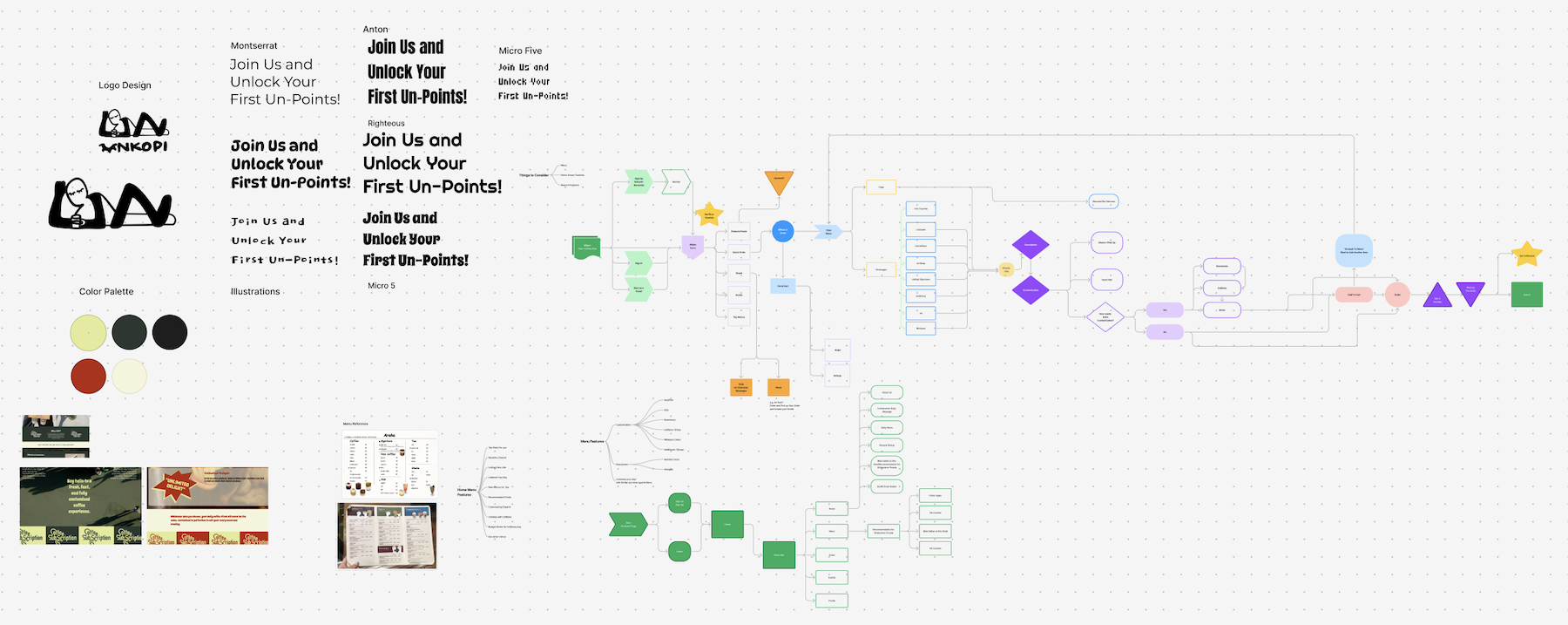
Screenshot of Unkopi Brainstorming File
01 Concepts & Brand Identity
As a coffee lover, I wanted to create a website that embodies the feelings of energy and social connection associated with Singapore's coffee culture.

The name "Unkopi" is a playful and modern twist on "kopi," reflecting the brand's identity as a fun and dynamic space for coffee enthusiasts. The visual identity incorporates warm, earthy tones and bold typography to evoke a sense of warmth and vibrancy, while the interactions are designed to be lively and engaging, encouraging users to explore and connect with the content in a more dynamic way.
Dynamic animations & Visuals
To reinforce its playful and dynamic identity, I incorporated various scroll-triggered animations on primary texts and images that can sustain more attention, mainly utilizing GSAP's ScrollTrigger and textSplit. Also, the animations are designed with bouncy and more exaggerated easings, to create a more lively and engaging experience. GSAP made it easy to control easings with its standardized framework such as power1, power2, and power3.
For this experiment, I wanted to see how branded interactions can be well applied within its complex contexts. Hence, I also designed and included dynamic visuals and illustrations like how Duolingo uses its mascot, Duo, to create a more engaging and memorable experience even in loading to error states.
Key Learnings: Sketching With Codes
Through the experiment of creating two prototypes, I realized how much more efforts and planning needs to be put into building a complete, interactive web experience, compared to sketching one button or just static scrollable screens that I used to design. However, I also found it rewarding to see how the technical parameters and principles I explored in last semester can be applied to create more immersive and cohesive digital atmospheres.
Before developing I have planned out the visual layout in Figma, some interactions in Framer. But as I was building, I found myself making more adjustments and iterations on the go within visual studio code, based on how the interactions felt in real-time. This process of "sketching with code" allowed me to be more responsive to the nuances of the interactions and make changes that enhance the overall experience.
Useful Tutorial Videos
GSAP Easing Visualizer
GSAP SplitText Walkthrough
Next Steps
From the consultation where I discussed this progress with Andreas and decided to focus on refining and further developing such interactive demonstrations and experiences with bolder visuals and ideas. Although I have built some initial prototypes, I want to push the boundaries further and explore more innovative approaches and accessible visuals to engage users effectively. So, the next step is to further enhance these prototypes, ensuring that they effectively communicate the principles of branded interactions that I have been researching.