11 Physicality
& Immersion
With Open Studios only a week away, I spent the first half of this week moving my research back into the physical world. While my project is digital at its core, I wanted to give the presentation a sense of weight and touch that a screen alone can't provide. I spent the rest of my time refining atmost-forest, layering in sound, and editing a looping video for the iMac to ensure the "atmospheric" message is accessible even to those who don't interact with the site directly.
Week-eleven
23 ~ 29. Mar, 2026Journal-by
Choi YerinKeywords
- Open-Studios-Setup
- Physical-Binding
- Ambient-Layering
- Immersive-Text
- BlackHole-Audio
Physical Touchpoints
Last year, my Catalogue of Making was purely a website. Since most of my works are digital, this time, I wanted the experience to be actually touchable. I designed a physical book and poster using Photoshop and InDesign, creating collage visuals from my user testing photos and prototype screenshots.
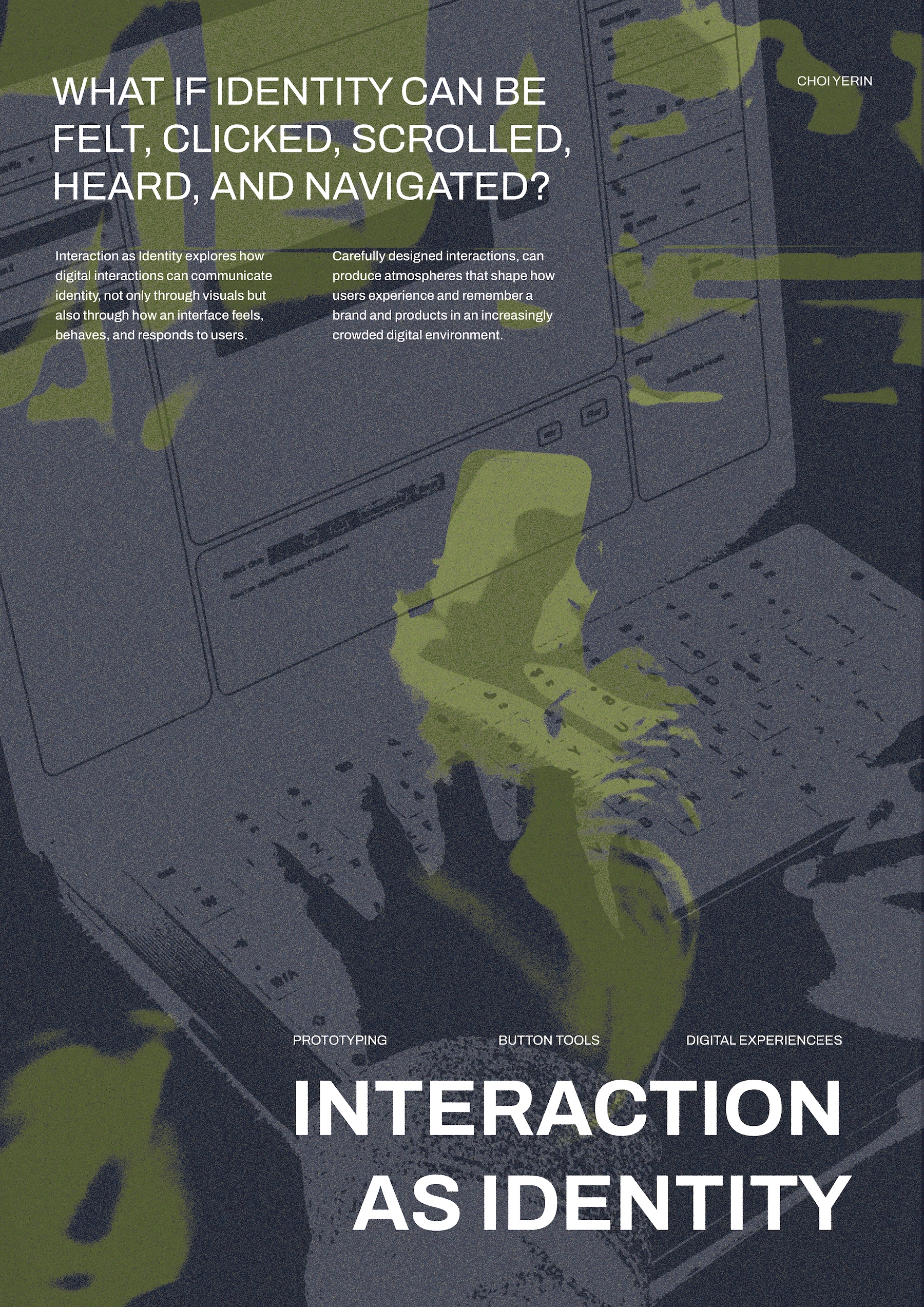
> A3 Poster Design
> Catalogue of Making Spread
I chose perfect binding for the book and used a textured paper for the cover to give it a sense of interactivity before a page is even turned. I also created a small brochure that defines the primary terms of my research (e.g., Atmospheric Aesthetics, Branded Interaction) to act as a quick entry point for visitors.
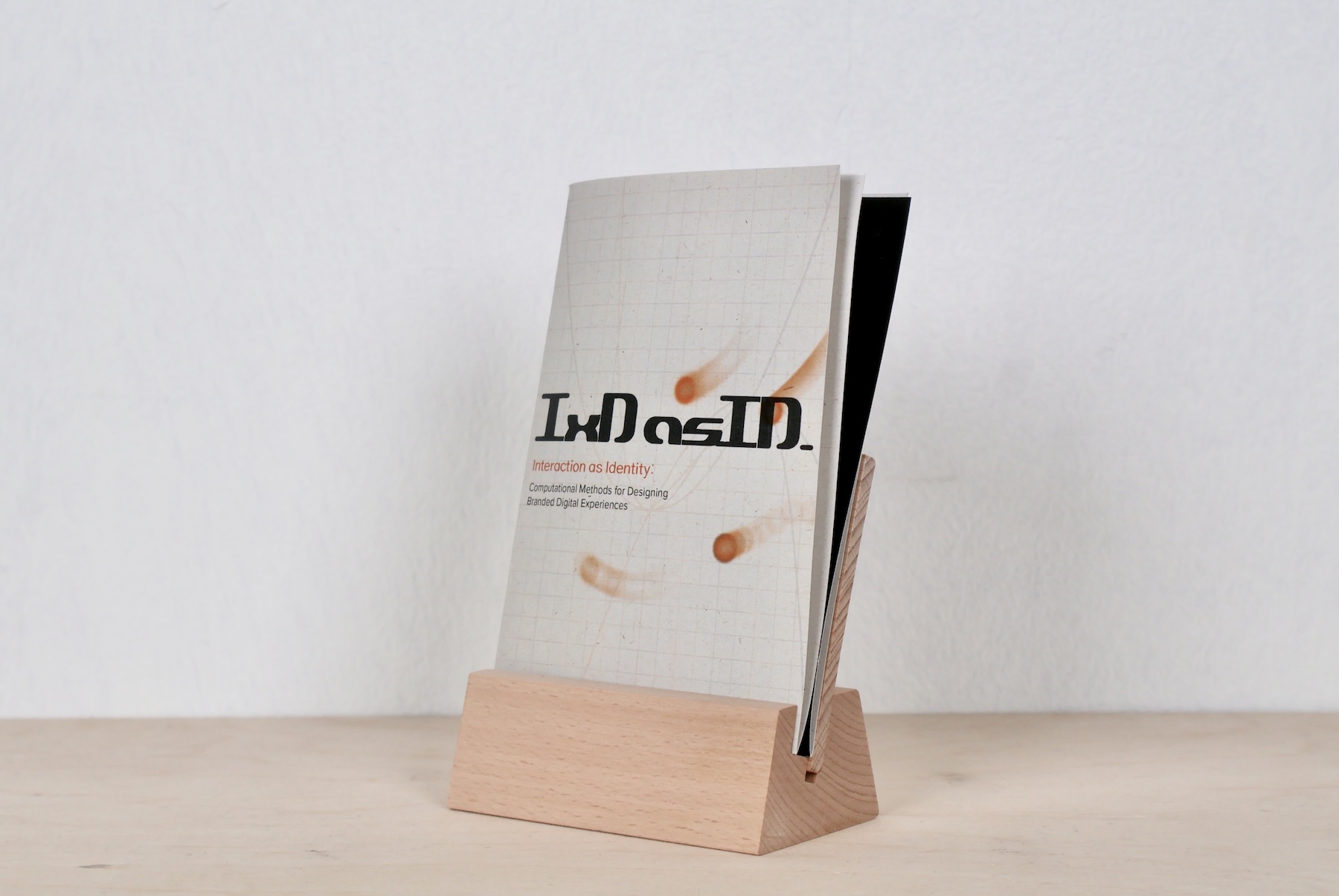
Brochure
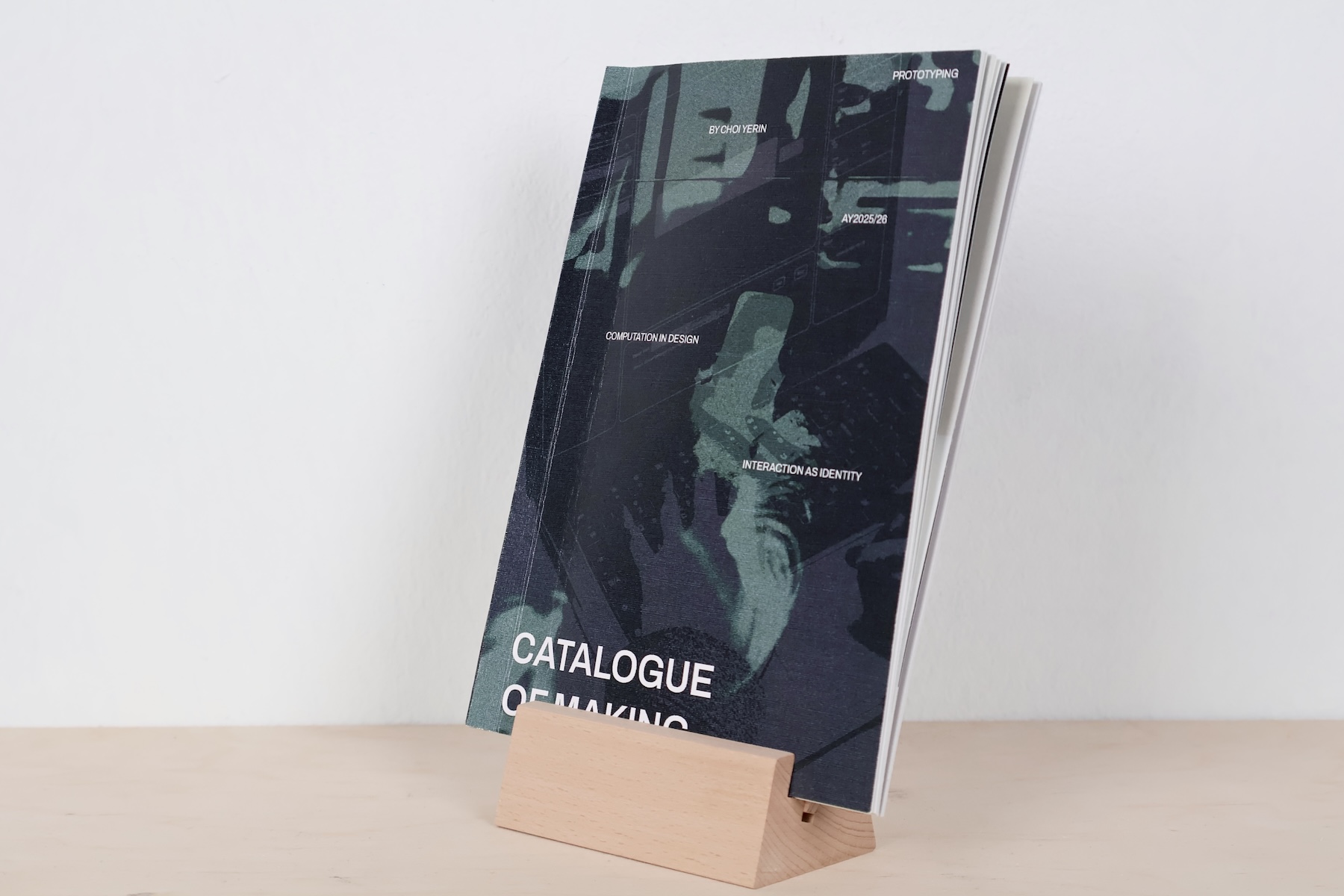
Catalogue of making
Atmost-forest
> Final Atmost Screen Record
Sound Exploration
While the Atmost archive is silent to maintain focus on usability, I decided that atmost-forest needed a full sensory layer. I combined ambient forest sounds with calm, dreamy background music to reinforce the "softly melancholic" mood. I also added swoosh sounds for zooming and scene transitions, but I kept them "dream-like" so they wouldn't feel too sharp or mechanical.
Adventure Experience
I added new scenes explaining how to produce atmospheres (using light, shadow, and sound), triggered by mouse clicks to give users a sense of "adventure-like" control. This way, I could provide more contexts through atmospheric experiences, not just through images and words.
Depth through Text Animation
During the consultation, Andreas noted that the texts in atmost-forest felt a bit disconnected from the 3D scene. I realized they were "just there" instead of being part of the atmosphere.
tl.to(textRef.current, {
scale: 2,
filter: 'blur(10px)',
opacity: 0,
duration: 1,
ease: 'power2.in'
}, "enter-scene");
Using GSAP to make texts that respond to camera depth.
I decided to animate the texts to reinforce the feeling of "going inside" the forest. As the user scrolls, the text now scales up and blurs out, simulating the physical sensation of moving past an object in a 3D space. This small change successfully answered my core question: digital interfaces can be "felt spaces" that we bodily experience, rather than just flat visual layouts.
The Open Studios Setup
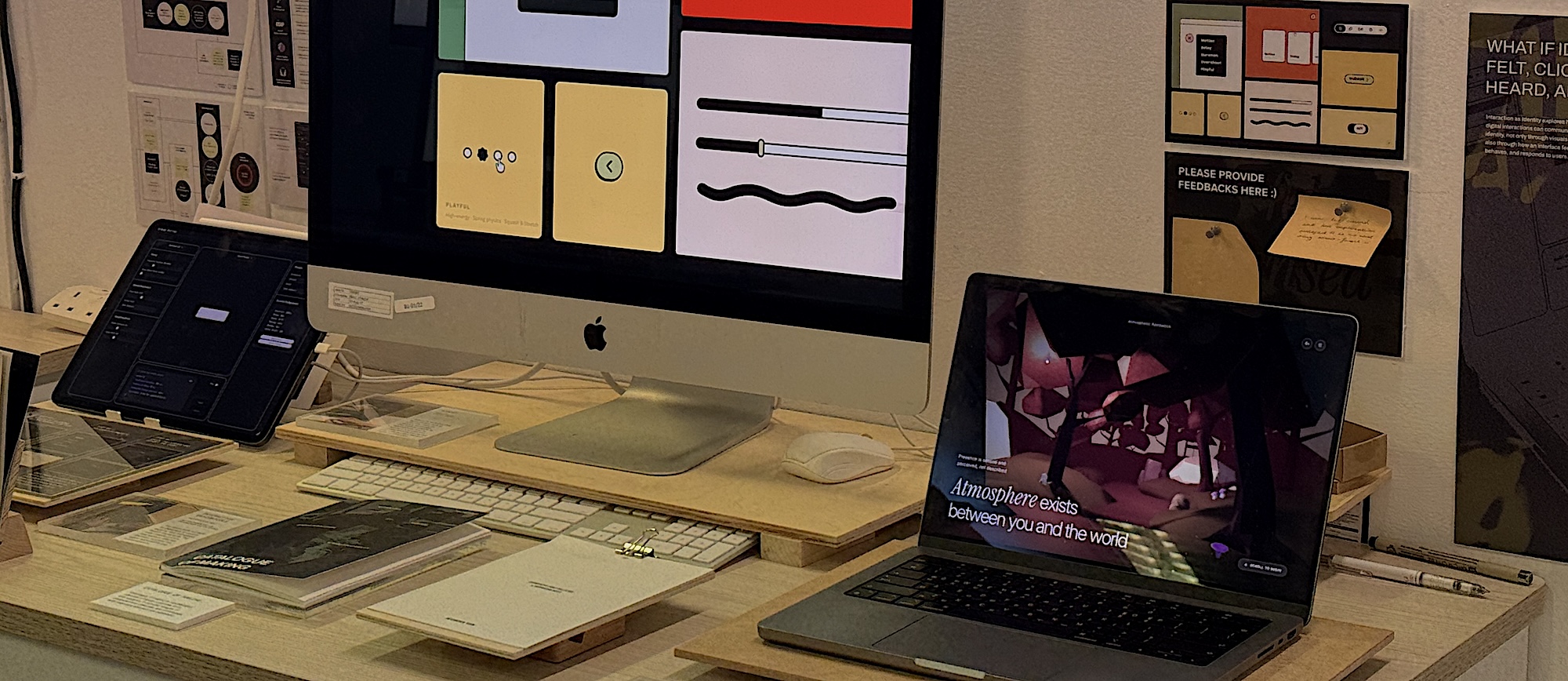
> Open Studio Setup
I wanted my table setup to tell a story of iteration from left to right: starting with the Button Parameter Lab (the foundations), moving to the atmost-forest laptop (the immersive experience), and constantly showing a looping video with an iMac.
I realized I couldn't expect every visitor to use my laptop, so I edited a screen recording that captures the essence of all my prototypes. I used a tool called BlackHole to record the internal audio of the websites, ensuring the sound design I worked on so hard is part of the visual loop.
Viedo Flow
I edited the video to show the progression of my research artifacts in a better flow:
Atmost-Forest: An introductory invitation through the immersive 3D scrollytelling.
The Component Palette: Introducing the concept of how buttons can be felt, Showing the "Playful" bouncy animations in action
The Atmost Archive: Showing the Atmost's pages including resource library, case studies, and directory to each tool.
The Tools: Demonstrating the Parameter Lab and Sketch Studio breifly through the archive.
For the video itself, though I tried different techniques for storytelling such as many subtitles and voiceover, it felt really distracting audience from the video of the prototypes itself since they also include variety of visuals texts, motions, and sound already. After testing all the set up and planning for presentation script, it feels like my work is finally seeing the light, moving from a private research project to an accessible, public demonstration.
Next Steps
During the next week's open studios, I am planning to talk to as much as people and gather further feedback to find if there are room to refine. In addition, despite the script I planned, I will try presenting it freely based on the first interaction that the visitor makes, while keeping the words easy and quick, yet capturing its essence.