Catalogue o f
Mak!ng
Interaction as Identity
An indexed archive of computational sketches,
motion studies, and tool architectures.
Catalogue of Making
This catalogue serves as an indexed archive of an investigation into digital interactions. It documents the transition from abstract theory to tangible utility, exploring how interactions can be systematically sculpted to embody brand identity.
As the first phase of my making, experimental making includes initial inquiries into the materiality of interaction. Integrating p5.js and web development framework (javascript, HTML, CSS)as a sketching medium to understand and explore specific variables (e.g. speed, scale, and easing curves) to observe their immediate emotional impact.
This phase informed my later tool building process, providing foundational insights on parameters and coding skills for interactive prototypes.
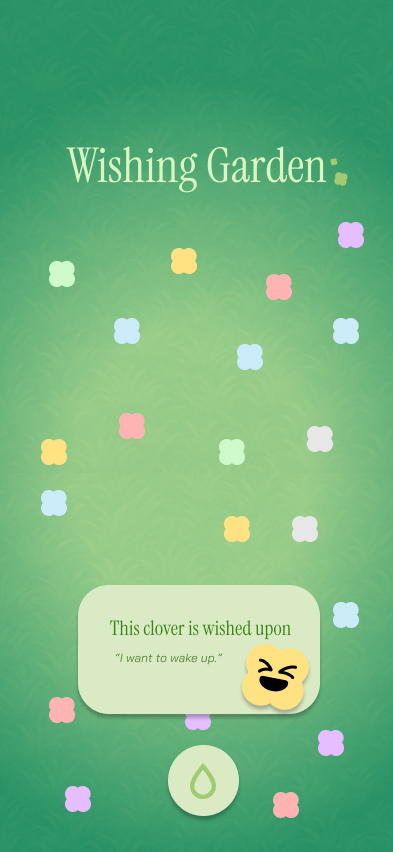
Experiment 01 Interactive Website
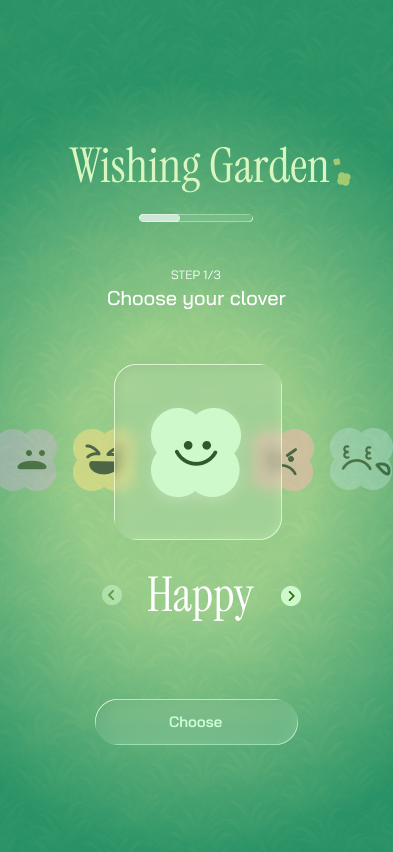
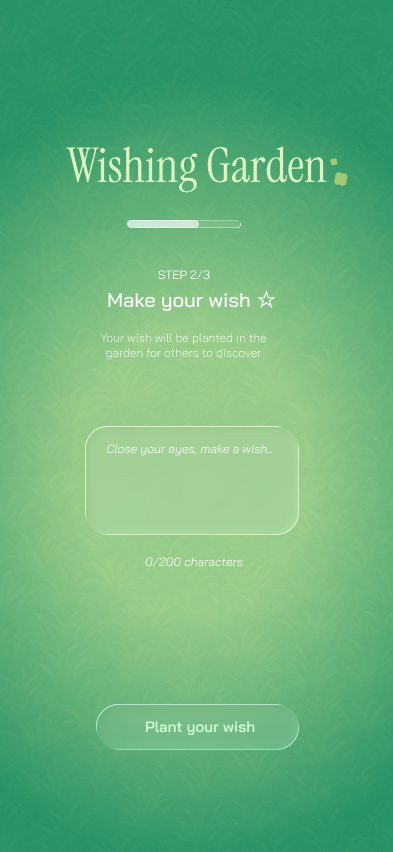
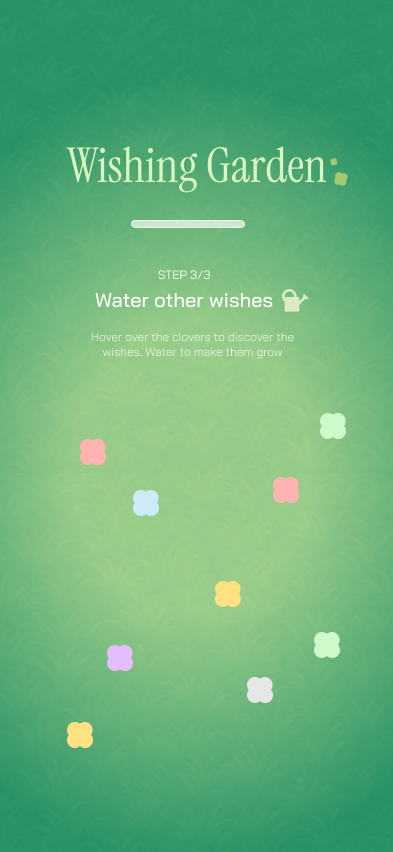
Wishing garden is my first making experiment worked with my peers. We created an interactive web-app using figma 'Make'. It was an opportunity for me to explore the AI prototyping tool in building interactive products, and it taught me how human touch matters in careful interaction design.
Click Here to visit original website
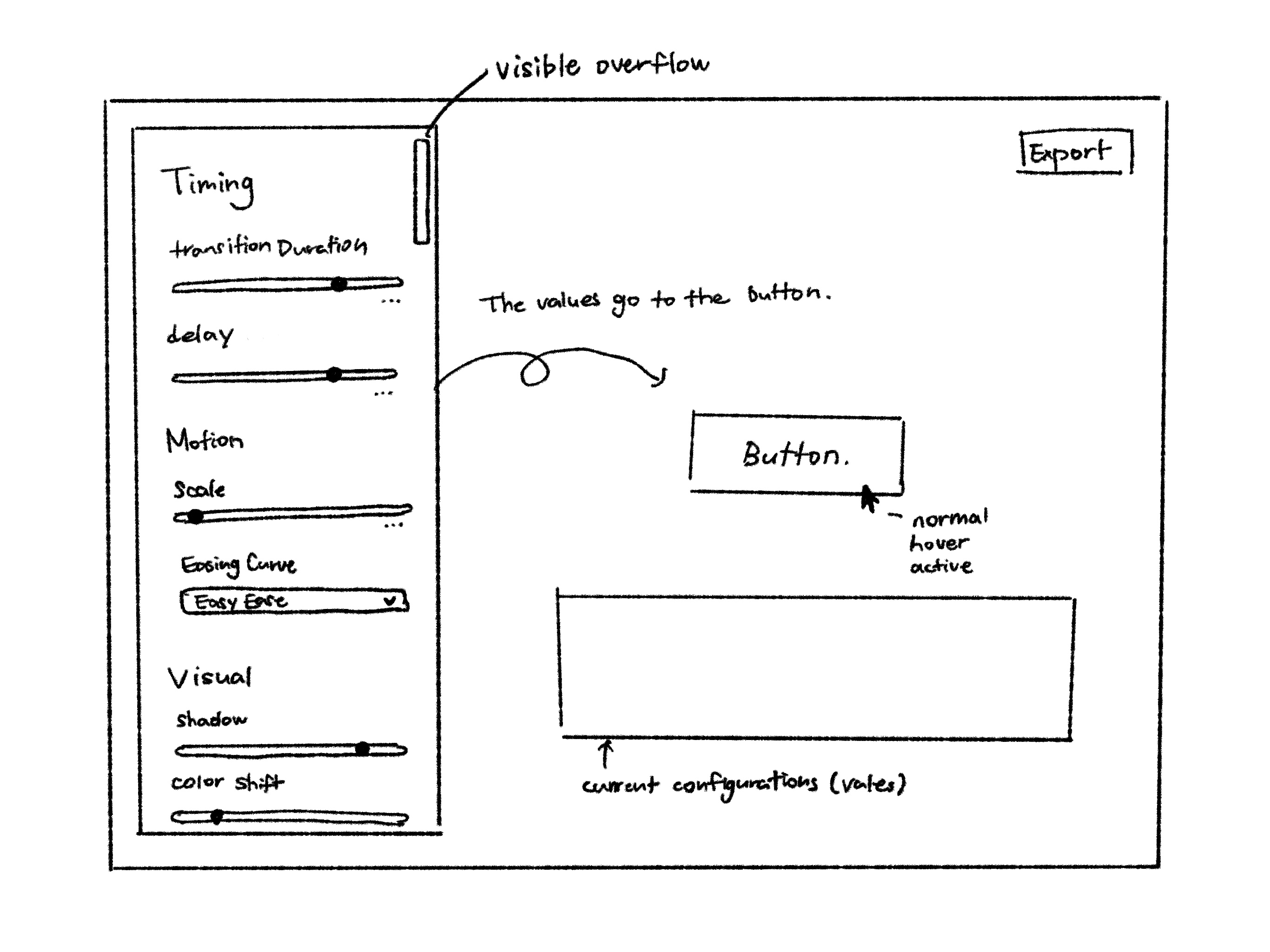
Experiment 02 Button Parameter Lab
Button Parameter Lab is a exploratory prototyping tool for building buttons manipulating different parameters of button. The following video recorded the demo of parameter lab prototype version 01.
Click Here to visit original web prototype
Experiment 03 Sketch with easing functions
Experiment 3 implemented mathematical easing functions within p5.js environment, visualizing how different easing curves affect personality perception. The motion blur effect through p5.js background opacity in draw, supported preview of the traces proving how eases and timing work together.
Above sketches are my experiments in integrating easing functions in interactive environment using mouse event. The sketch integrated deltaTime in order to maintain the consistent duration within the animation in various devices.
Experiment 04 Loading-animations
Experiment 4 explores the loading animation, which is one of the most fundamental animations in digital interfaces that can turn frustrating moments into a room for expression and communication
Loading-Animation Parameter-Lab-prototype-v1
The animation types are made to be triggered with key 1, 2, 3, 4.
The customization of the animation can be done in real-time with key Q/W for speed, A/S for smoothness, Z/X for bounciness controls.
Penner's Easing Function -> Spring Model
In order to include curves into loop animation within p5 environment, integrating easing function made the animation feel cut off.
I could achieve similar function, taking spring models approach, by adding variables for smoothness, bounciness, and intensity, mainly integrating lerp function.
loading-animation-lab prototype v2
Below video is the demonstration of the second prototype of the loading animation lab in p5.js with new design and features.
As I prefered the slider controls from the button lab and leared that colors & motion blurs are important factors, I included those functions this time. It was fun to build and play with, but this prototype is still in exploratory level as I still believe that this prototype has a lot to solve and can not be used for the actual implementation.
04 Documentation
The reverse-engineering phase analyzes selected branded interaction from case study. Rather than staying still within observation level of case study, by recreating them in p5.js environment.
This expriment informed my understanding on branded interactions and the preset configurations for my later tool building process.
Diagram below is the iterative recreation process
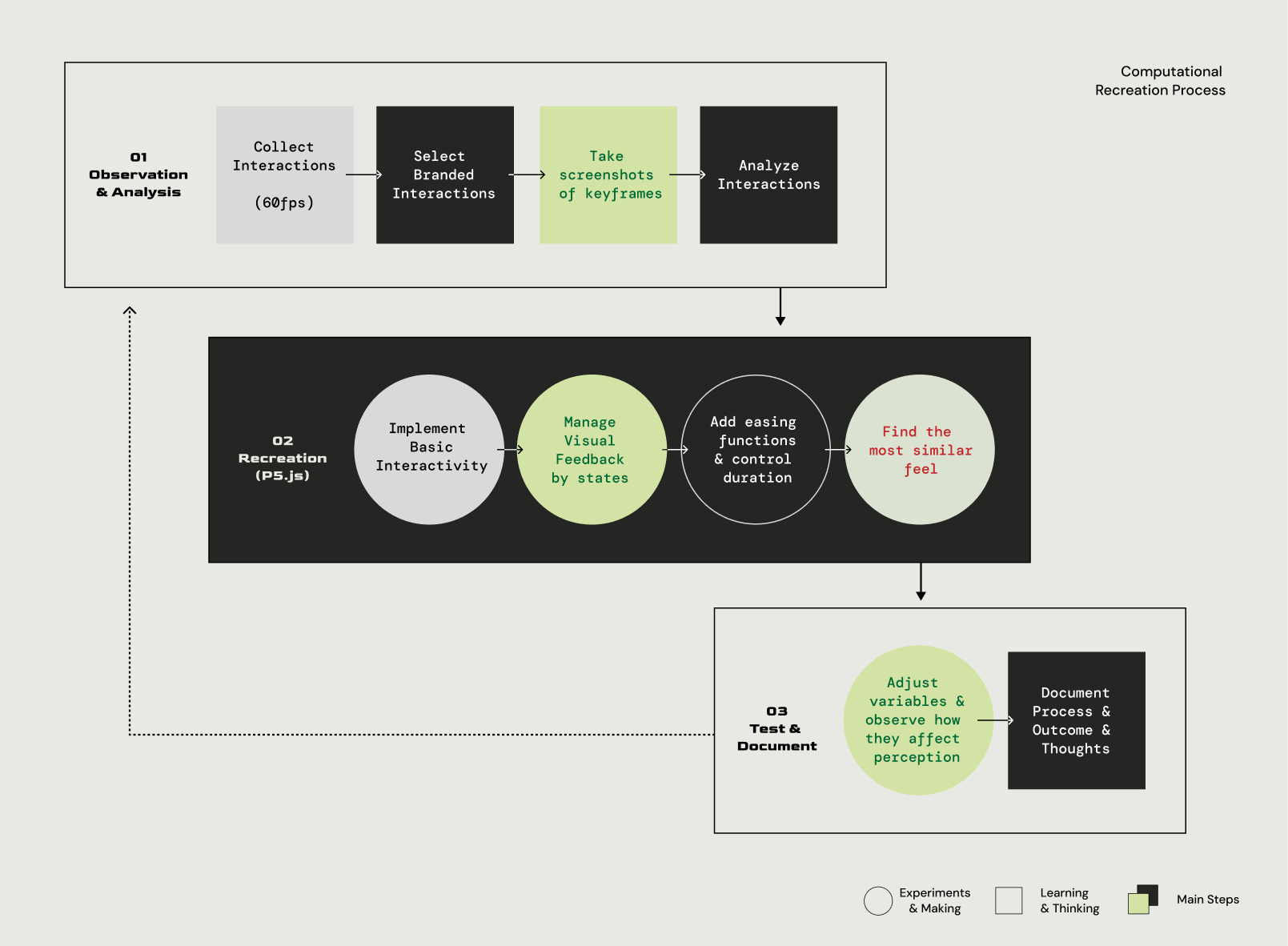
Above is some of the branded interaction that I collected from 60fps during my case study process. (Detailed information can be found in the process journal, dissertaion draft, and Figjam file)
Computational Recreations (p5.js)
Above are original interactions and the recordings of my recreated sketches. P5 sketches and detailed steps are interactive and can be found from my p5 collections Here.
I could get a lot of insights from especially Duolingo recreation made me realize how important this phase is. The first key insight from this is the discovery of compositional harmony (Ease-Out Input / Ease-In Output) as a standard for professional, fluid motion. Secondly, how visual effects are important for feedback to create atmospheric effects. This also motivated me to create a tool for visual editor for each button state (default, hover, pressed, release, disabled, etc.)
Building
03 Prototyping
This phase documents the transition from previous experiments to actual tool building and its process, in order to provide more comprehensive tools for designers to actually craft, test, and implement interactions.
Below contents include the documentation of inspirations, architectural evolution, and recordings of the tool demonstration.
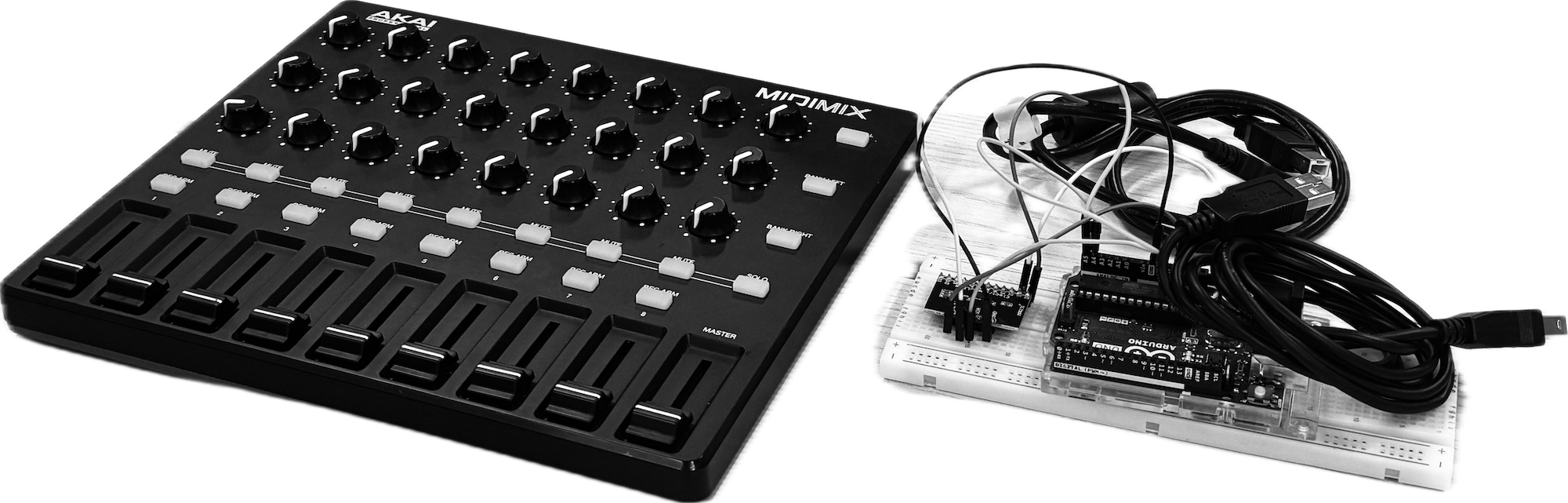
MIDImix is a portable, compact controller
made by Akai Professional that provides
physical control over digital software.
Inspiration: Experiment with Midi Mix
I experimented connecting MIDImix to p5.js and coded a sketch of controllable shape. This gave me motivation to provide a more tangibility, physical sensation of parameter control tool itself.
Neumorphic interface - Button-parameter-lab Redesign
Building an atmospheric interactions requires embedded knowledge. Which means tools must guide the designer through complex state management without overwhelming them. In order to achieve this, the tool's design had to be minimal
Inspired by MIDmix experiment and my readings, the new design for the tool, button parameter lab, provides a tactility of interaction with a visual effect called neumorphism using lights and shadow for a subtle contrast that Bohme also emphsizes in his theory of "atmospheric aesthetics"
Parameter-lab Prototype v2
Core following function Refinement:
Brand identity presets for users to easily implement my research findings of certain configurations that can create different personality (e.g. playful).
Code Export function enabling users to actually implement the designed button to html file with css code
Different preview options such as buttons for play, hover, and active for viewing certain button states, also including spacebar shortcut for fast preview action
Comprehensive Tool Building - Sketch Interaction
Sketch Interaction is a tool allowing designers to design micro-interaction with UI elements by crafting feedback and animate transition between states. Below is the diagram of the iterative process
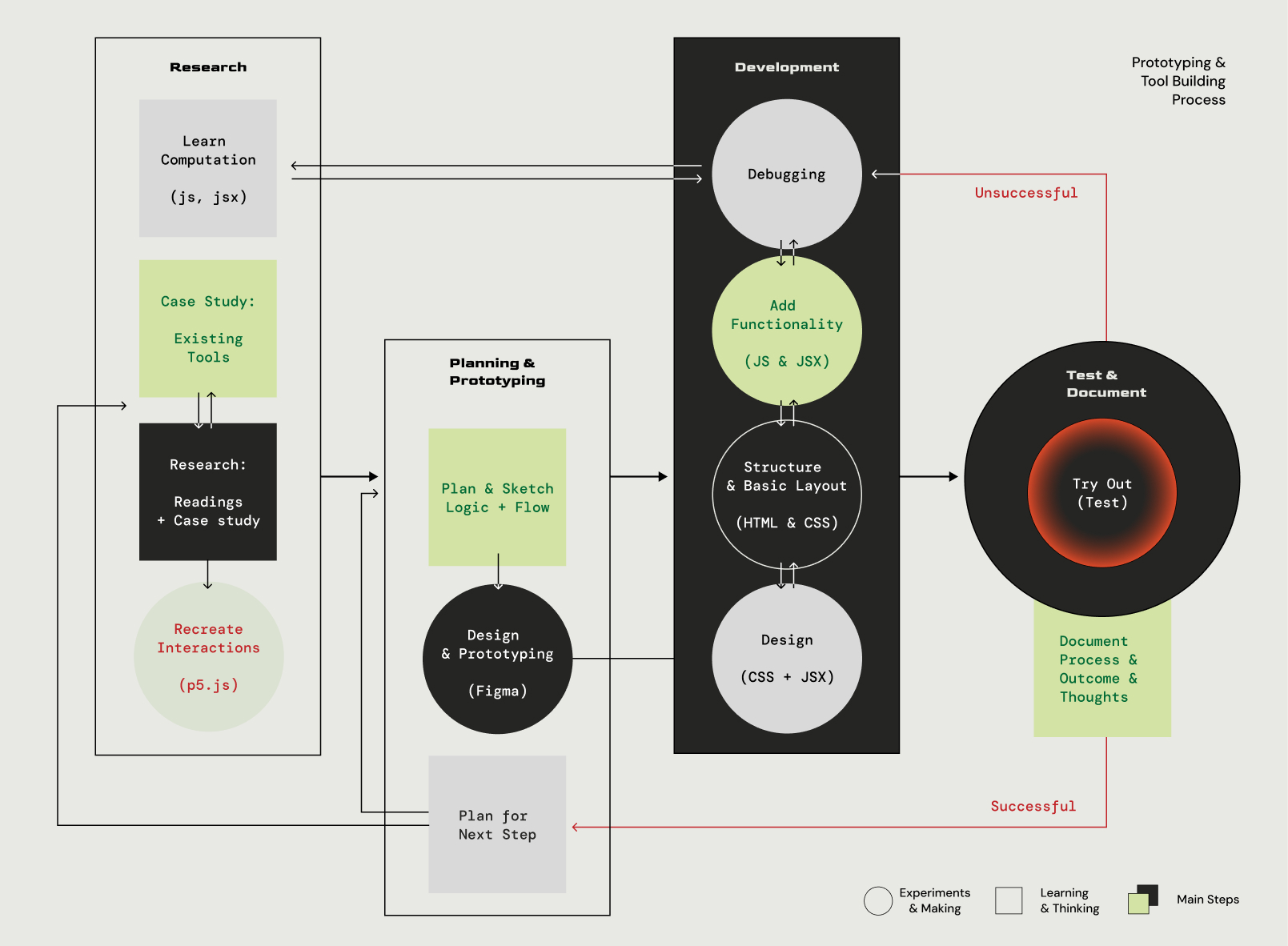
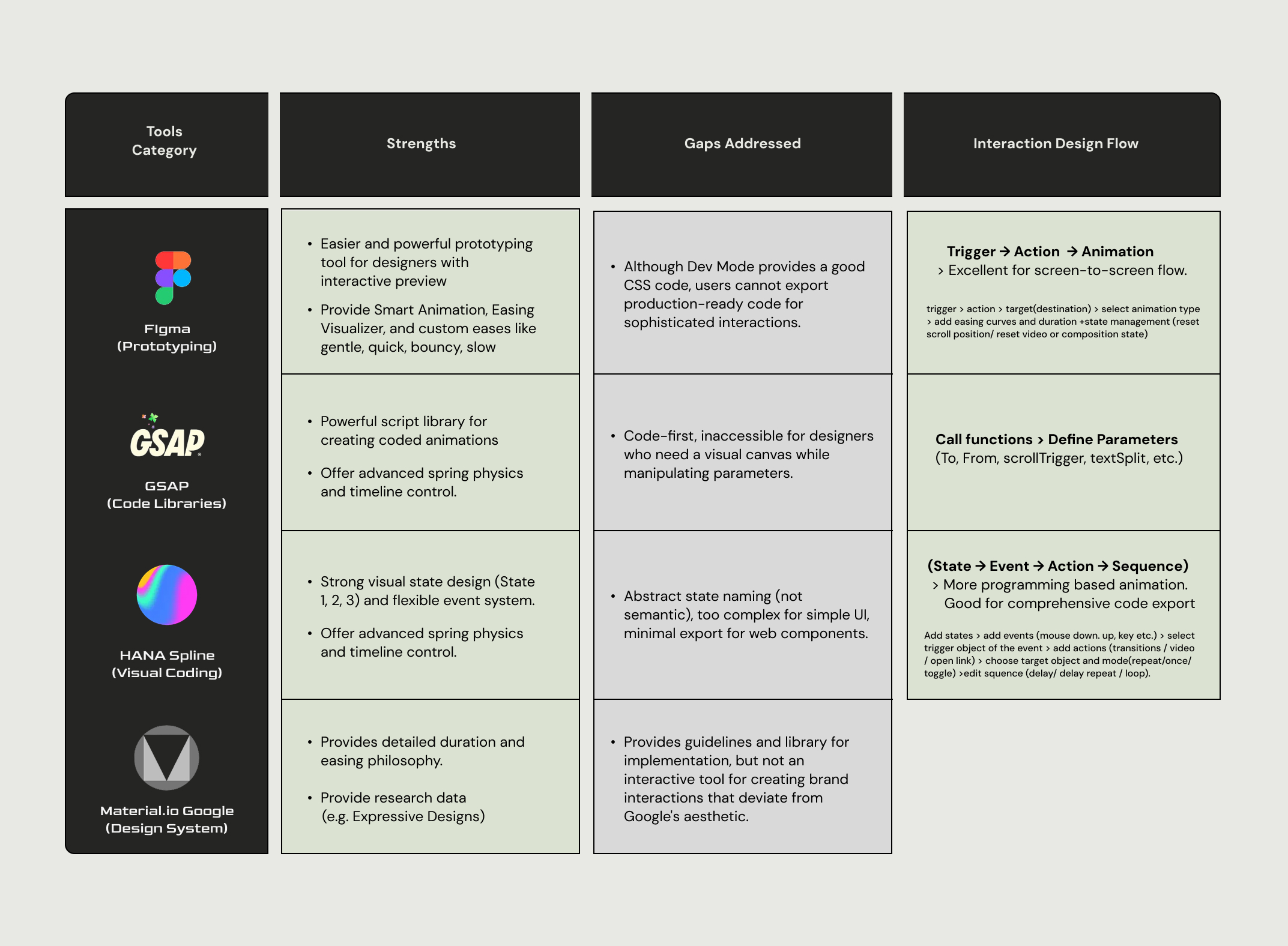
As stated in the diagram, the tool's architecture and function (e.g. logic for interaction design flow, presets) embed my research findings from case study on both branded interactions and currently existing prototyping tools. Below is the table of the compiled analysis from case study on prototyping tools
Sketch-Interaction Prototype v1
Below is the demonstration of using a current prototype of the tool. This first version of the prototype focuses on the button interaction as buttons can be almost >most of the userinteractive UI elements in web environments.
At its core, the prototype provides a real-time preview canvas and code export function, managing button states (e.g. default, hover, pressed, released, selected) with user input trigger (e.g. mouseOver, mouseDown, mouseUp) and transitions between them.
As the tool was built in React environment, code export provides in different frameworks (CSS, HTML, javascript, React) increasing its compatibility and accessibility.
04 Visualization & Documentation
This phase is a compilance of the project's documentation and implementation to provide a better visualization and tactility to my research, due to the abstract, digital-first nature of my project
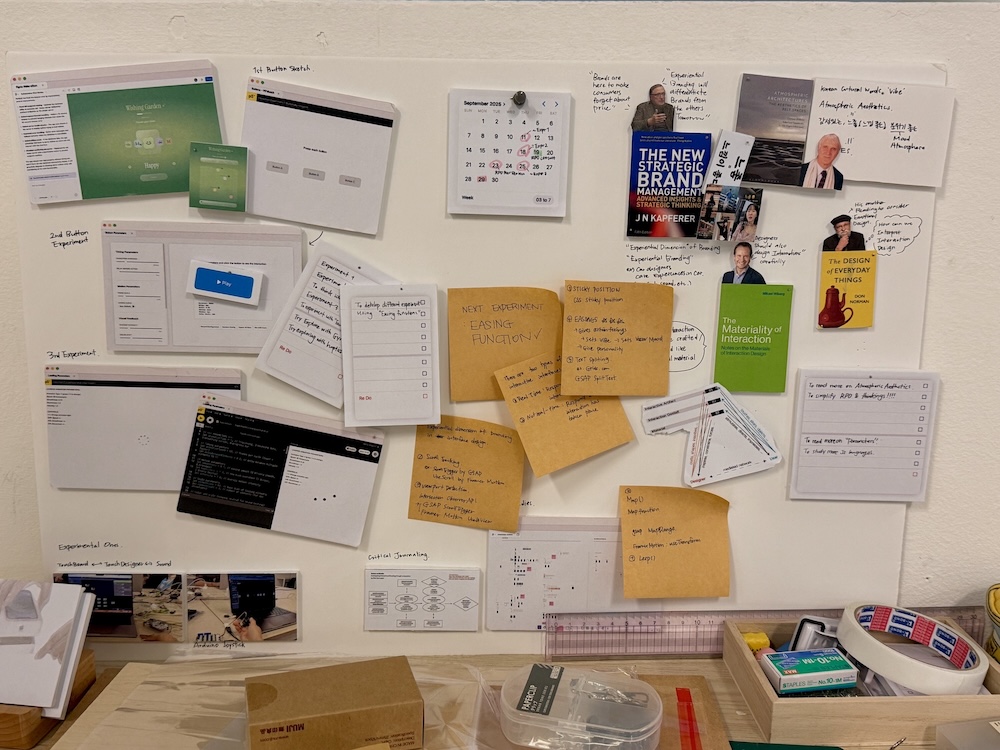
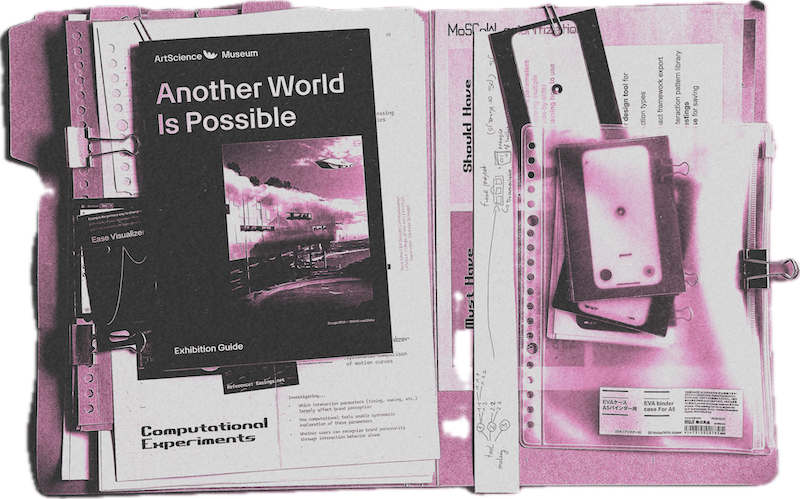
outcomes & inpirations
& research directions
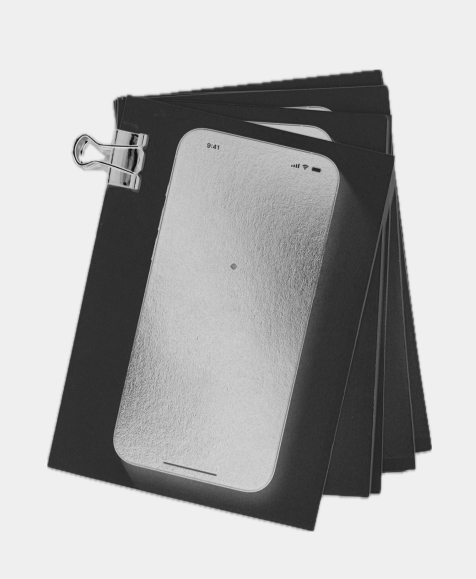
Storyboard for interaction
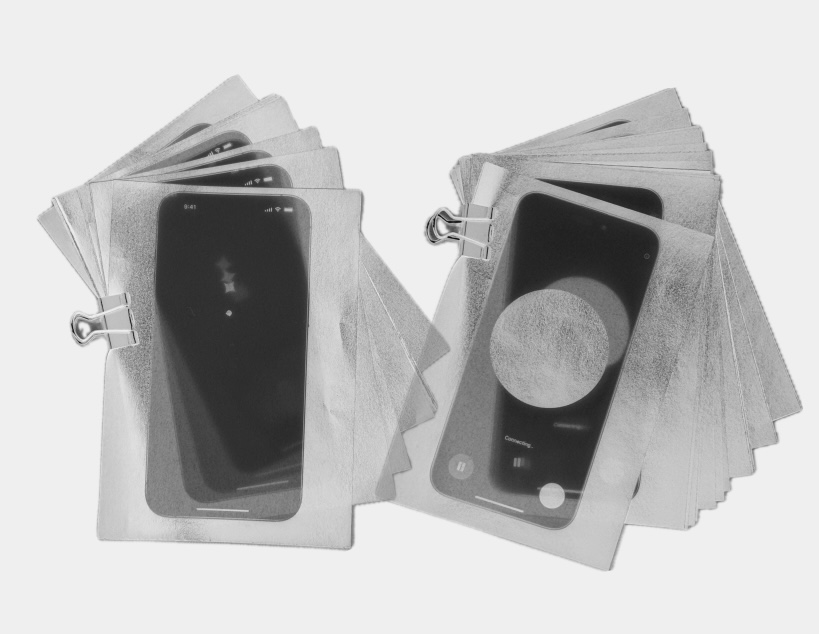
A storyboard is a graphic organizer that consists of simple illustrations or images displayed in sequence for the purpose of pre-visualizing a motion picture. In order to visualize the digital interactions into a printed format, I used this technique by printing the screenshots the same frames from the collected interaction of different AI products.
Motion and Duration works together
Right image is the comparative storyboards of Gemini and ChatGPT loading animation, printed on tracing paper. Again, this gave the tactility to the theory that motion and duration works together. Moreover, this phase demonstrated how different motion techniques are used to create totally different feeling even for the same function.